See it in action
A week in the footy coaching app
Football team management for your whole club, step by step through a season with Kestrel Park, a made-up club. Real Quarterline screens on the laptop and the phone, the way your coaches and players will use them.
Before the season· 1 of 8
Your club, set up and on every phone
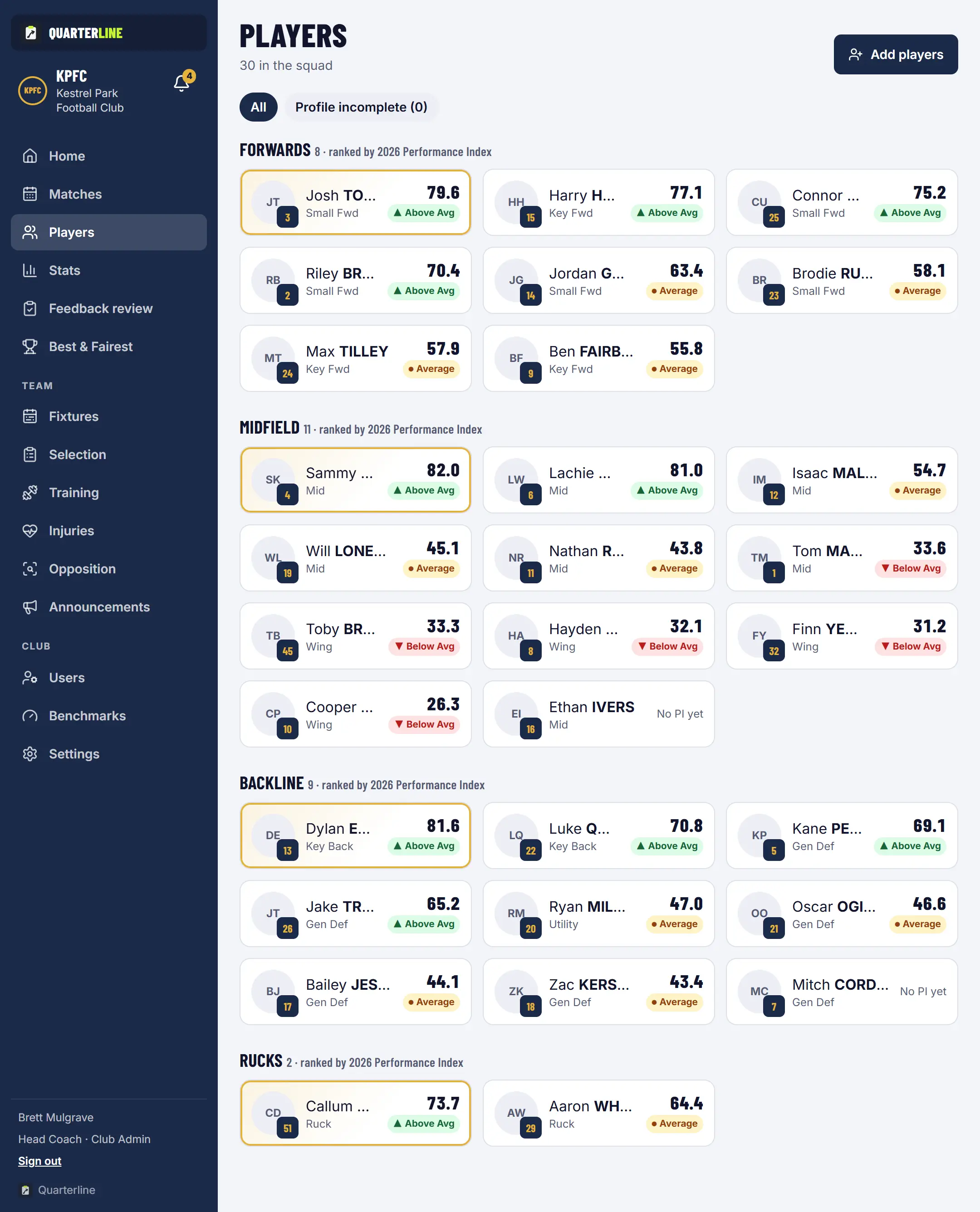
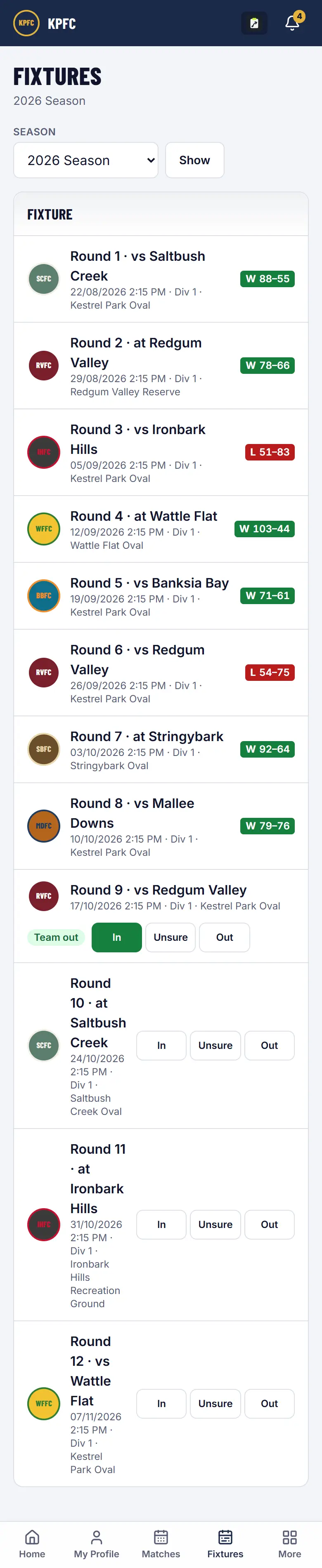
A setup wizard brings in your teams, players and coaches, in your club's colours. Everyone gets the season fixture on their phone, and each person sees what their role needs and nothing more.
Club Admin
Sets up teams, players and coaches with the setup wizard.
Players
Install Quarterline on their phone and see the whole season fixture.
Everyone
Sees only what their role allows, and your club's data stays private to your club.
After the siren· 2 of 8
Every game's stats, ready for the coaches
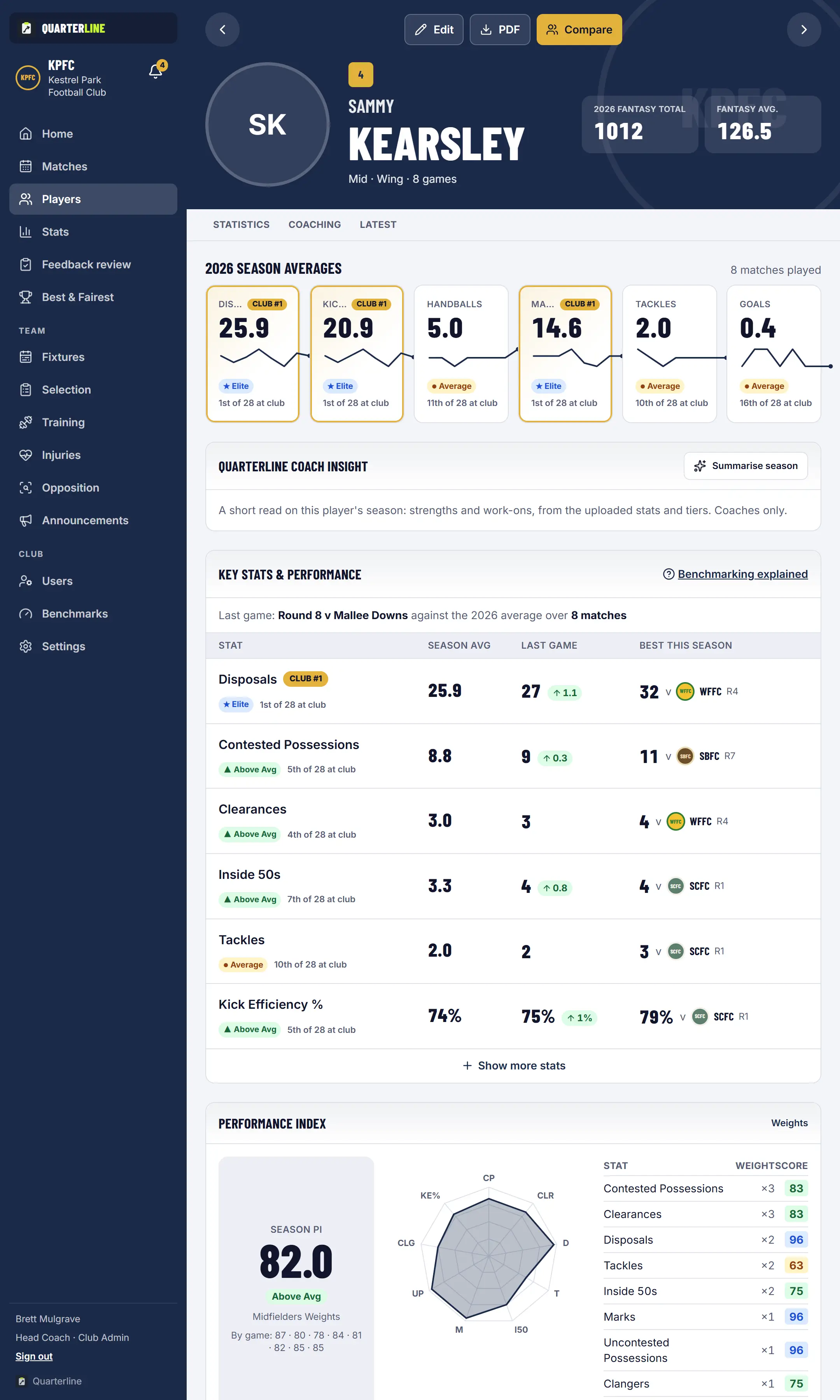
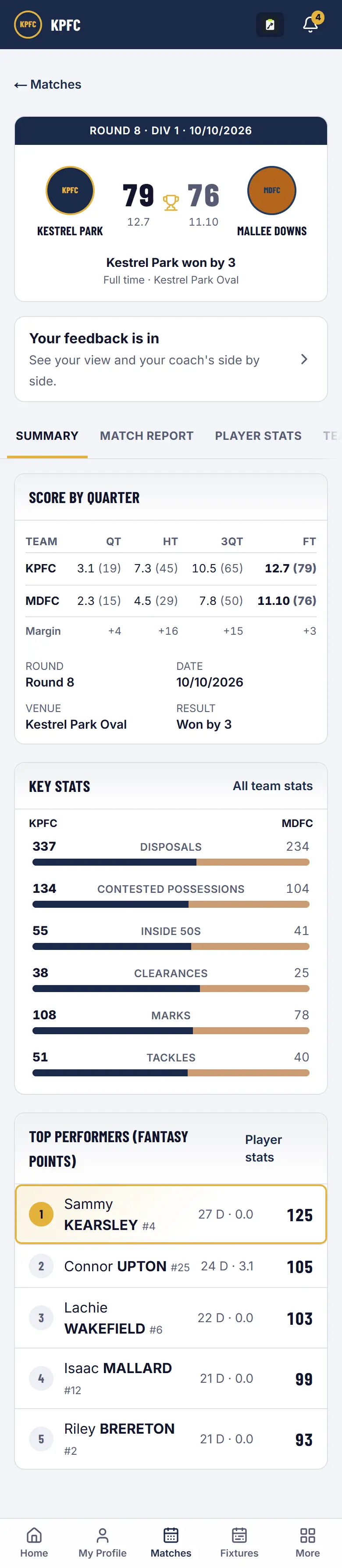
Each round's match stats are already in Quarterline, with nothing for your coaches to type in. Check every player against the key stats your club sets for their line, see how the team performed, and compare against benchmarks for players in the same position.
Coaches
Check each player's game against your club's key stats and their season average.
Head Coach
See team performance: score by quarter, team stats against the opposition and trends across the season.
Players
Open their own profile: last game against their season average and their benchmark tier.
Early in the week· 3 of 8
Feedback every player actually gets
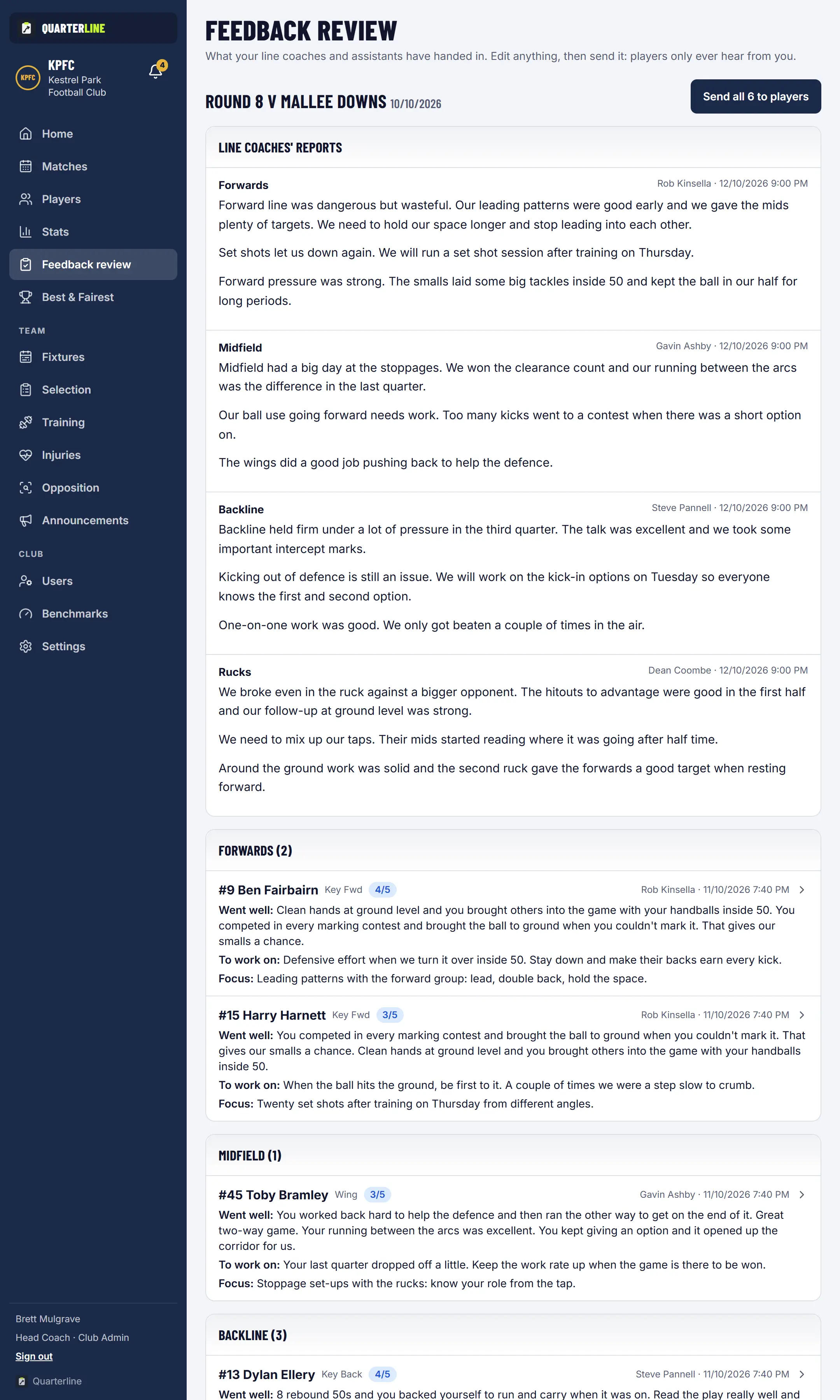
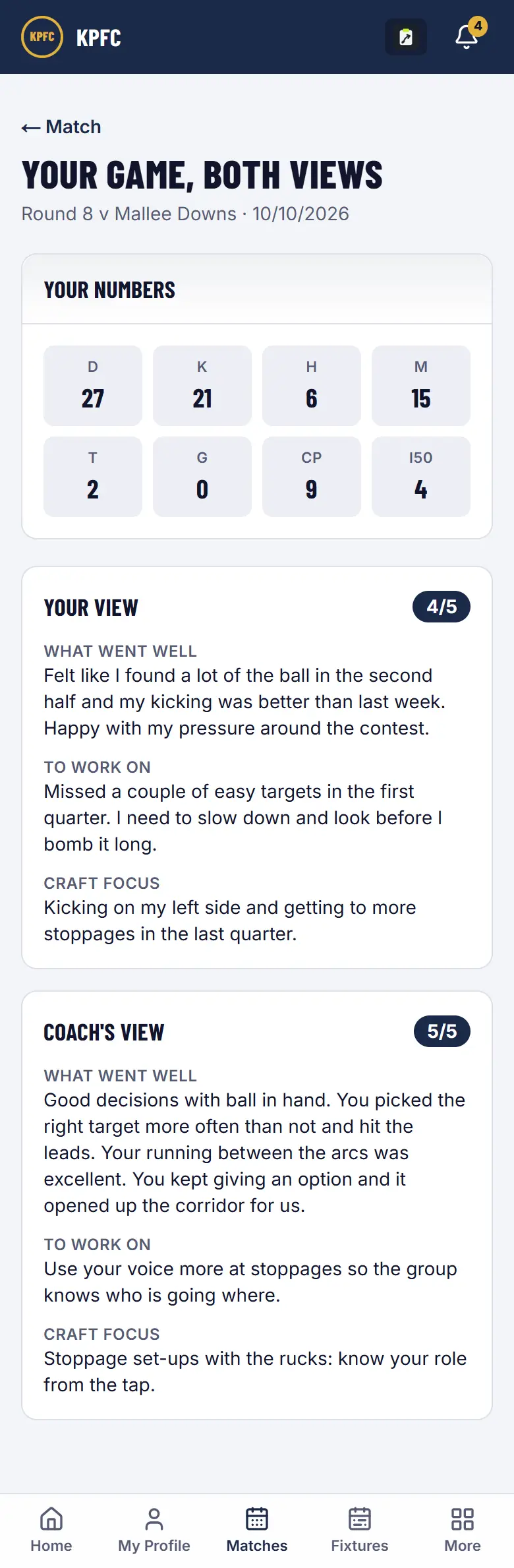
Line coaches write feedback for their own line. The Head Coach reviews it in one queue and sends it. Players rate their own game too, and see both views side by side.
Line coaches
Draft feedback for their line, with an optional draft from Quarterline Coach.
Head Coach
Reviews every line's feedback and line report, then sends it in one go.
Players
Read their feedback beside their own self-review.
All season· 4 of 8
Development and injuries, tracked all year
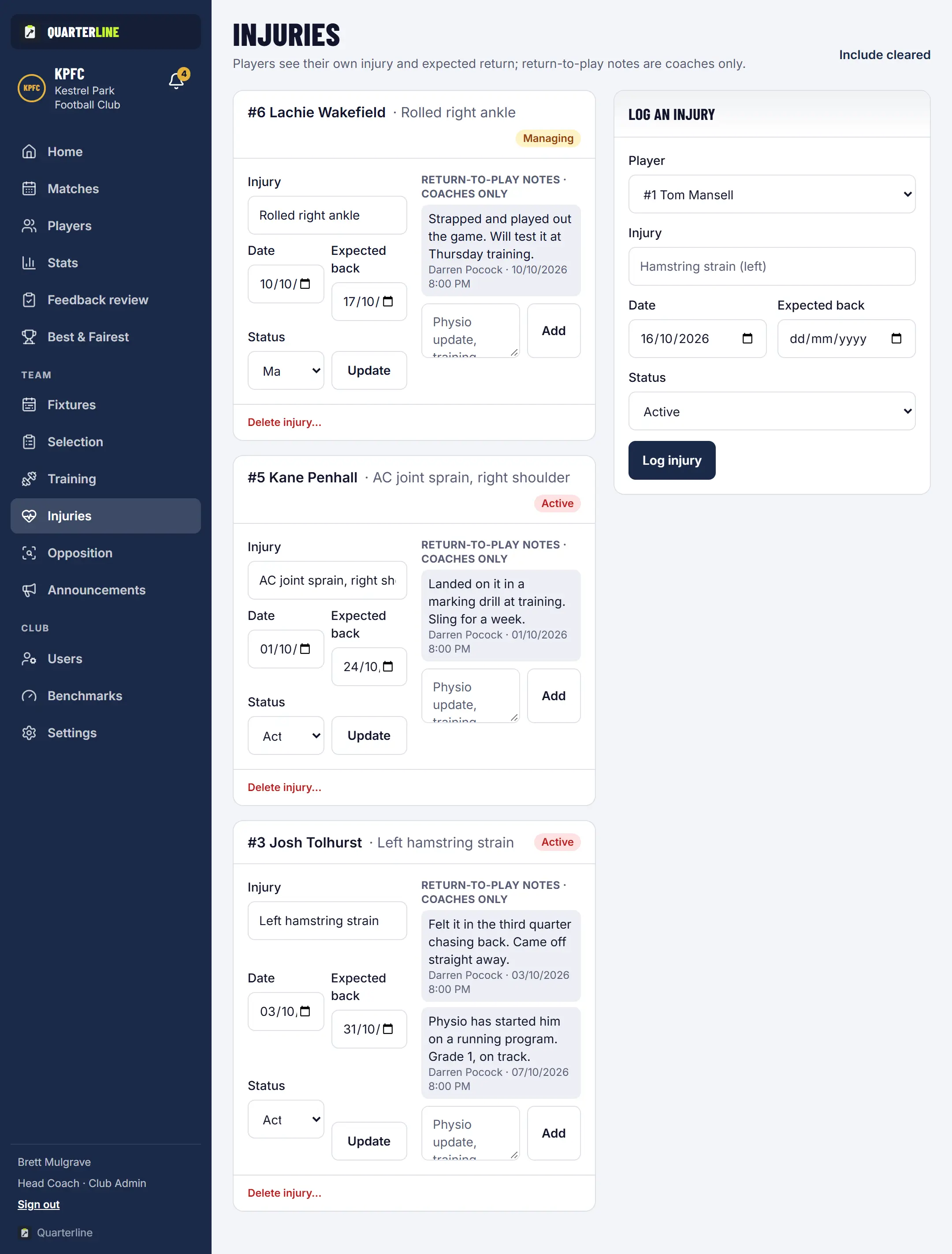
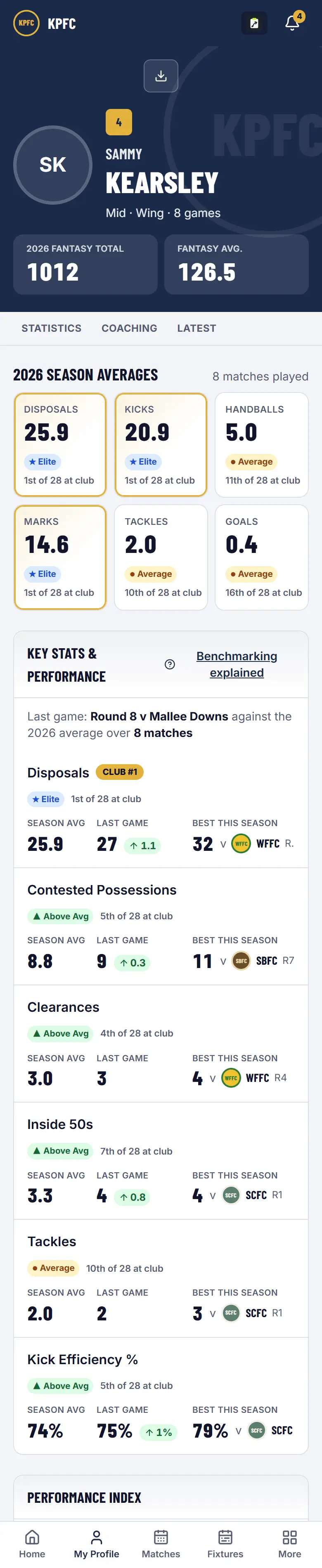
Each player's development goals, video clips, training attendance and injury history sit on their profile. Coaches and admin staff keep the injury list up to date, so nobody is picked who shouldn't be.
Coaches
Set development goals with each player and tick them off as they're achieved.
Coaches and admin staff
Log injuries with an expected return and return-to-play notes.
Players
See their goals, video and attendance, plus their own injury and expected return.
Training nights· 5 of 8
Training built from your own drills
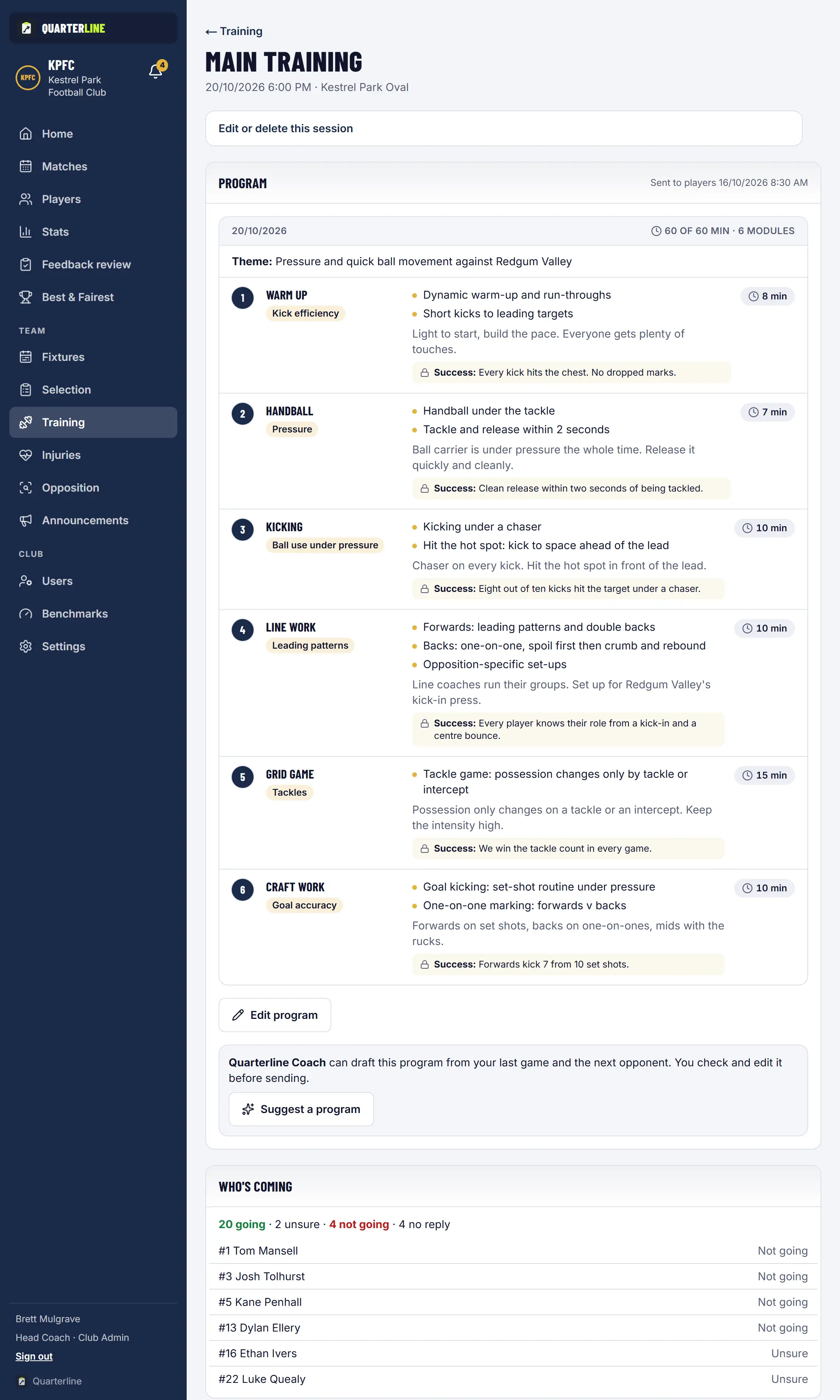
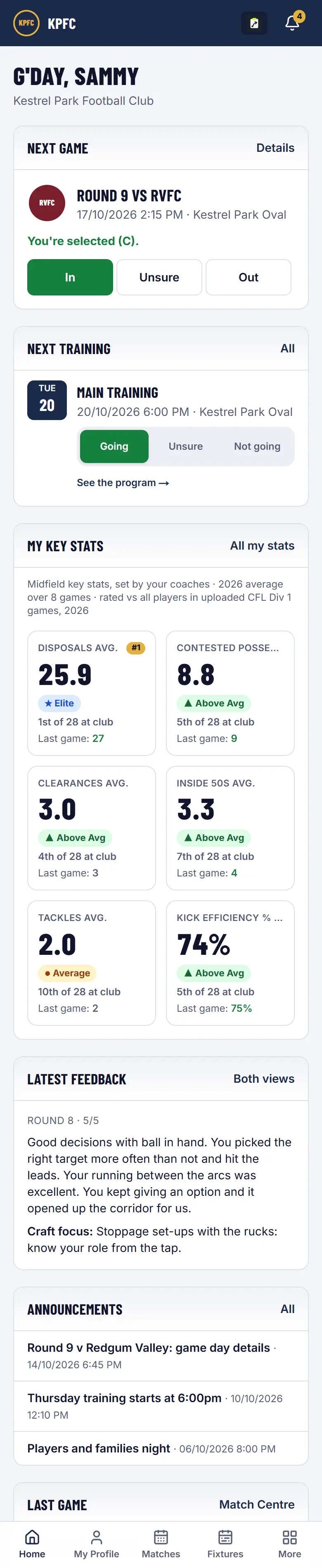
Build each session on a 60 minute clock from your club's drill library, with a theme and a skill target. Players reply Going, Unsure or Not going, and attendance takes one tap.
Coaches
Build the program; the Head Coach can ask Quarterline Coach to suggest one from your drills.
Players
See the next session on their phone and reply in a tap.
Head Coach
Sees who is coming before the session starts.
Before the next game· 6 of 8
Know the opposition before you play them
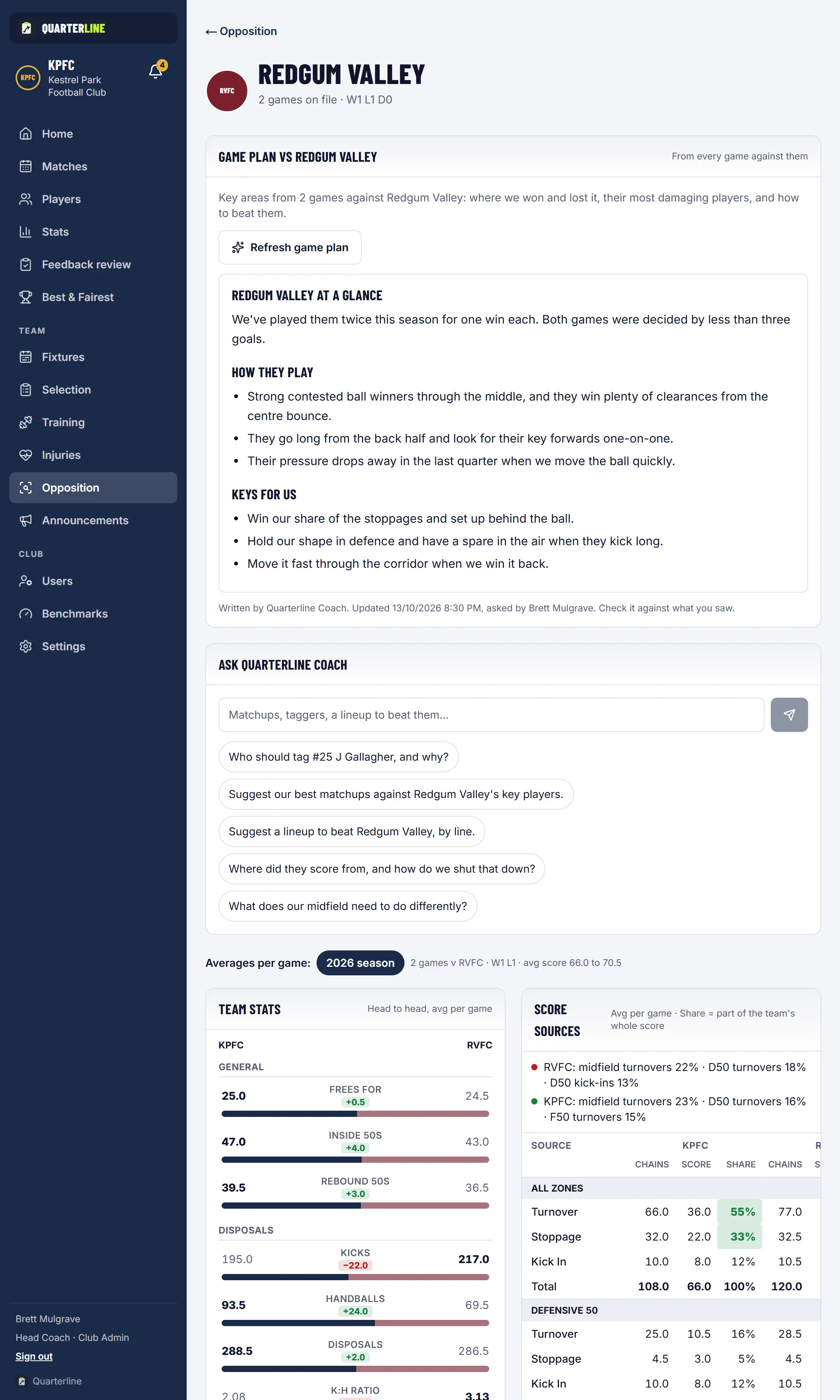
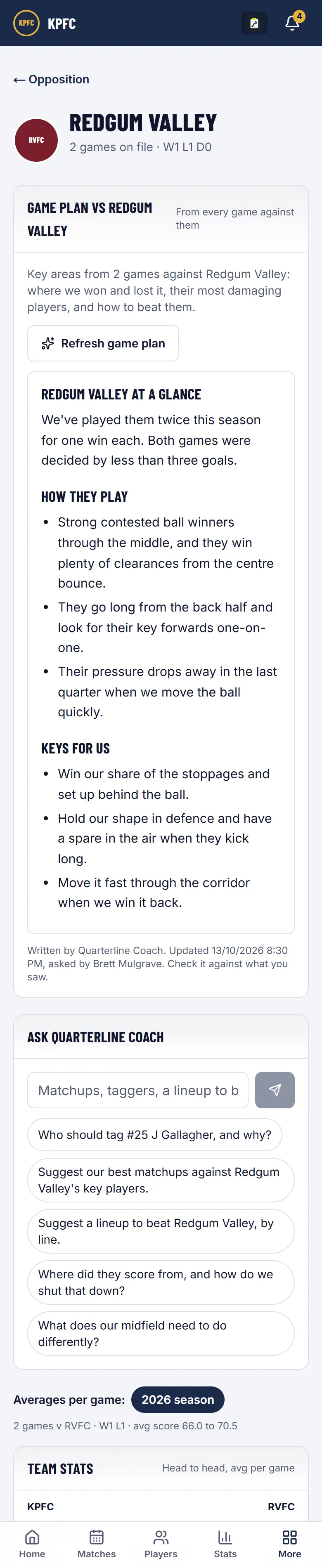
Every game you have played against a club, in one place: results, how they score, where they win the ball and the players who hurt you. Quarterline Coach can turn it into a game plan for the Head Coach to edit.
Coaches
Add notes on the opposition that the whole coaching group can read.
Head Coach
Asks Quarterline Coach for a brief, then edits it before sharing.
Everyone
Works from the same numbers, not memory.
Selection night· 7 of 8
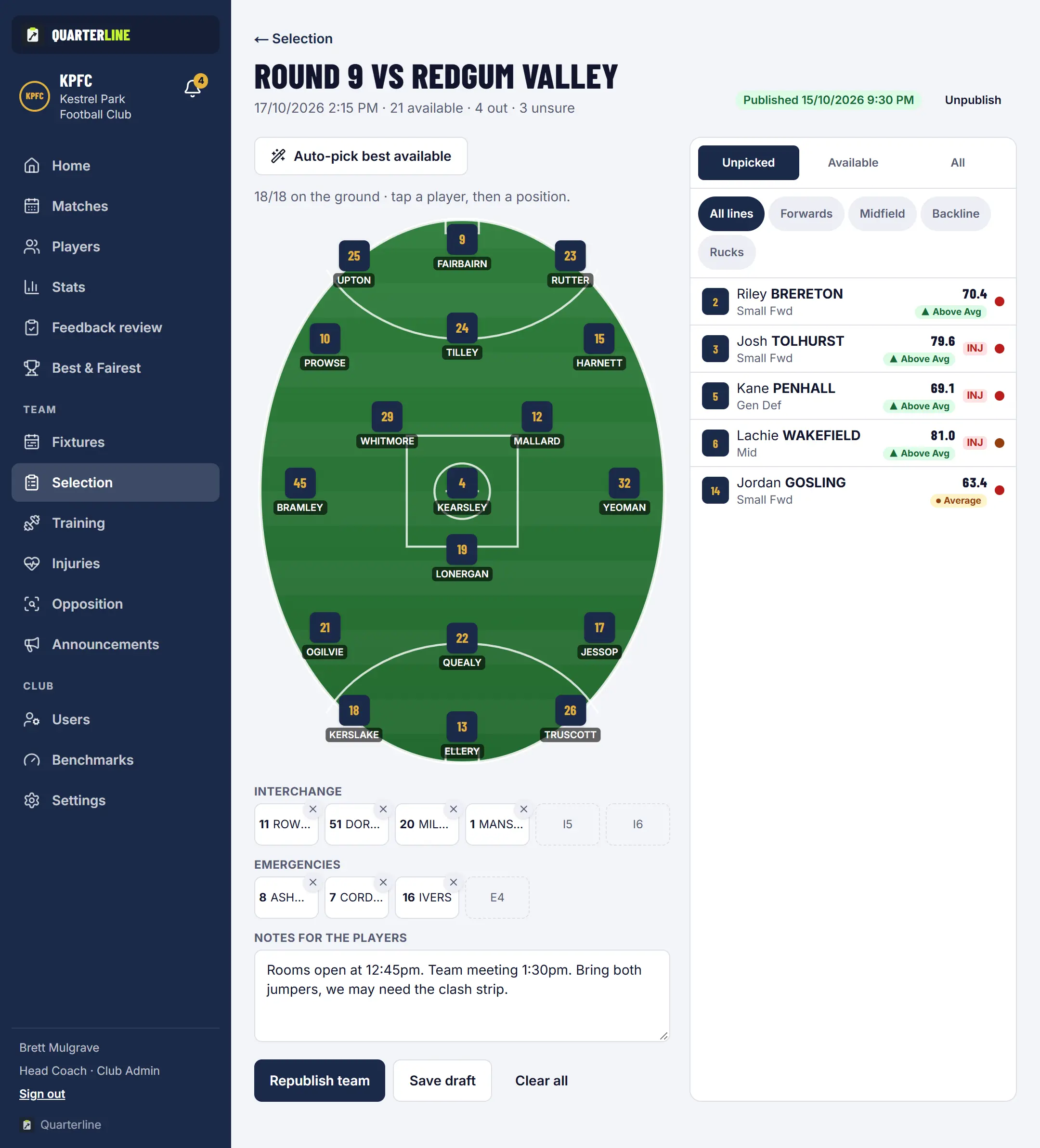
Selection with everything in view
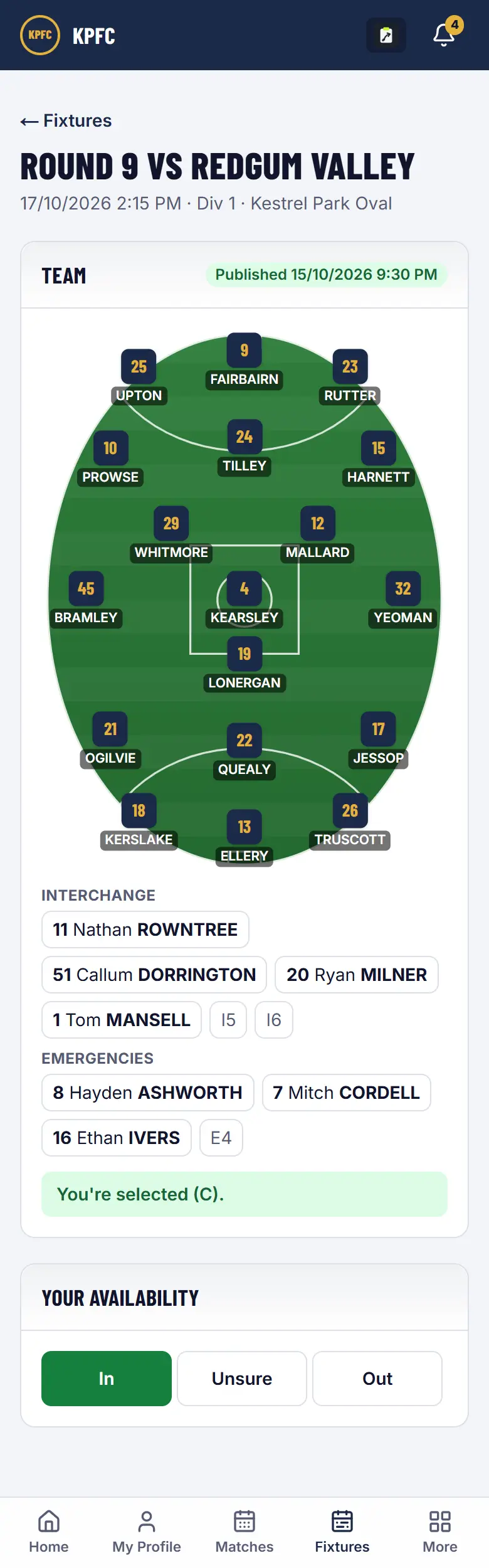
Availability, injuries and form sit beside the team on the oval. Auto-select can start you from the best available players or last week's side, and publishing tells every player.
Players
Mark In, Unsure or Out for the next game.
Coaches
Pick the team on the oval, with injured and unavailable players flagged.
Players
See the team, and their position, the moment it is published.
Round's end· 8 of 8
Match reports and a fair Best & Fairest
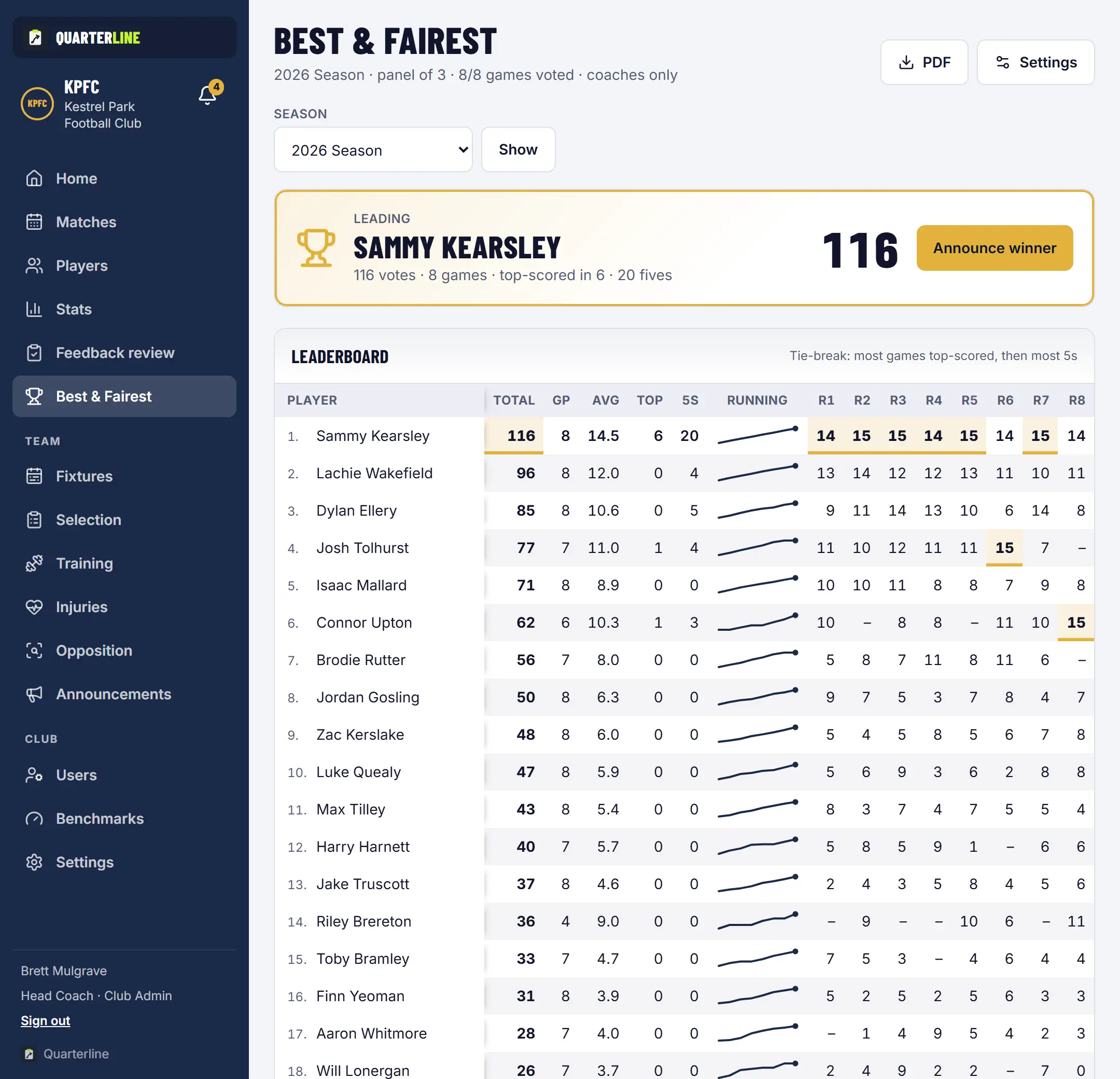
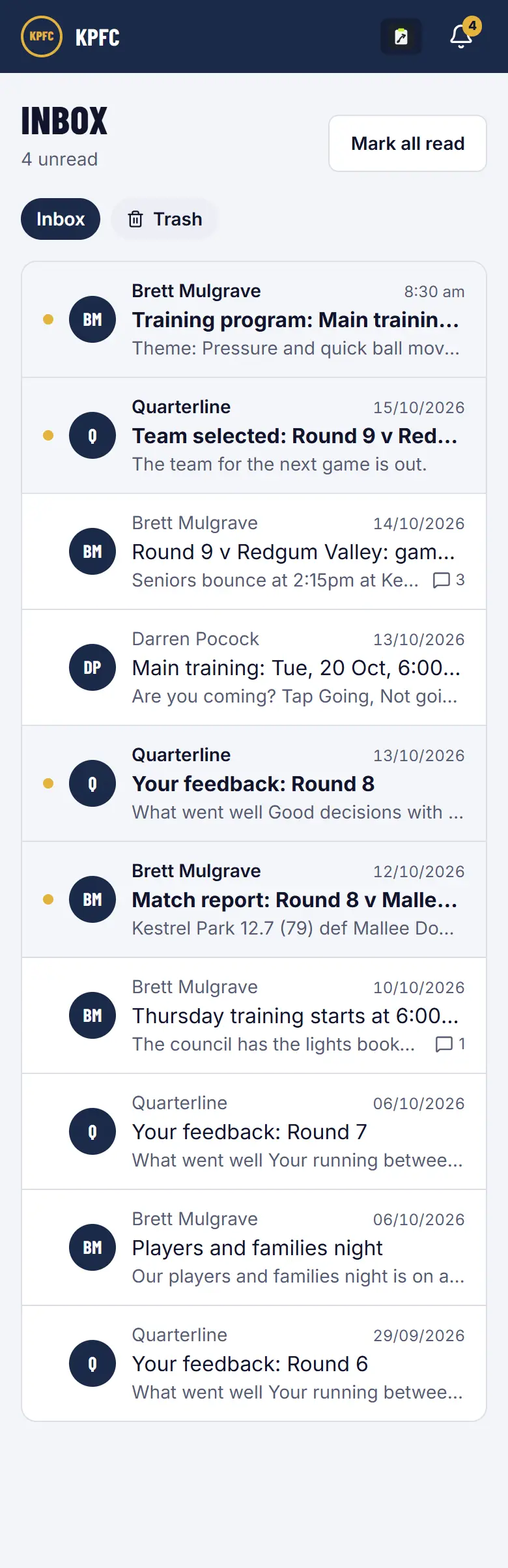
The Head Coach sends one match report in two versions: the full report to the coaches, a shared one to players and the club. The voting panel rates every player, and only the Head Coach sees the count.
Head Coach
Starts from a Quarterline Coach draft and edits it in their own words.
Voting panel
Rates every player 0 to 5 each round, privately.
Club
Gets the shared report in the app inbox, and by email where it is switched on.
Everything included
Every feature, for every club
All of it comes with your season: no add-ons, no tiers. Each person sees what their role allows.
Club setup and access
A setup wizard gets your club running, with your colours and logo throughout. It works on phones as an installable app, and every club's data is private to that club.
Match stats, straight into the app
We work with your statistics provider and bring your match data straight into Quarterline: the match, quarter scores, team stats and every player's line. No retyping, no spreadsheets, just insights at your fingertips.
Player profiles
One place for each player: career and season stats, development goals, video links, awards and coach notes.
Individual feedback
Coaches write feedback for each player after each game: what went well, what to work on, and the focus for next week. The Head Coach reviews it and sends it, and players see their own feedback on their phone.
Match reports
Post a match report to the club after each game. Start from an optional Quarterline Coach draft built from the stats and your line coaches' reports, then edit it in your own words.
Player development
Help every player improve over the season, not just on game day. Goals, video and attendance sit on each player's profile, where the player and their coaches can both see them.
Training programs and attendance
Build each session from your club's drill library on a 60 minute clock, send the program to your players, and take attendance in one tap at the track.
Injury management
Keep an injury log with recovery notes and expected return dates, so the whole coaching group is working from the same information.
Opposition
Look up an opponent before you play them, using every game you have played against them once your stats data has been uploaded.
Fixtures and availability
Your fixture in the same app as everything else, so players know where they're playing and coaches know who's available before selection.
Selection
Pick the team on an oval. See who is available before you start, let auto-select fill the sheet if you like, then publish the team to your players.
Inbox and announcements
Send announcements to everyone, the coaching group, the players or people you choose. They land in each person's Quarterline inbox, where people can comment and react, and match reports can also go out by email.
Best & Fairest
Every coach on the voting panel gives each player 0 to 5 votes per game. Only the Head Coach sees the leaderboard, so the count stays private until presentation night.
Quarterline Coach
An AI assistant for your coaching team. It drafts and suggests from your club's own stats and drill library, and a coach checks and edits everything before anyone else sees it.
More about Quarterline CoachCustom features
Every club runs a little differently. If there's something your club needs that Quarterline doesn't do yet, tell us. Club requests shape what we build next.
Questions
What clubs ask after the tour
- How do our match stats get into Quarterline?
- Quarterline works with the stats sheet your league's statistics provider already produces. Once your stats data has been uploaded each round, every screen in the tour fills in on its own: no typing and no spreadsheets for your coaches.
- How much does it cost?
- $1,600 per season (12 months), including GST, for up to 50 users, with every feature included. It's billed in advance and renews each season until your club cancels. More than 50 users, more than one team, or a league? Ask us for a quote. See pricing
- Does it connect to our other club systems?
- Quarterline brings in your match stats, sends match reports by email and installs on phones. It doesn't connect to other club systems today. Tell us what you'd like it to work with: club requests shape what we build next.
- How do we get set up?
- Send a request and we'll book a time with you. A setup wizard brings in your teams, players and coaches in your club's colours, then each person gets an invitation to sign in. Read the setup guide
- Who can see what?
- Each person sees what their role needs. Players see only their own feedback, injury details are for coaches and admin staff, and only the Head Coach sees the Best & Fairest count. Your club's data is private to your club. Privacy questions
- Does it work on mobile? Is there an app?
- Yes. Quarterline works on any phone, tablet or computer, and installs from the browser to the home screen on iPhone and Android, opening full screen like any other app. An Android app is built and coming to Google Play.
- Can we book a demo?
- Yes. Send a request through Get started and we'll book a time to show your coaches Quarterline, with your own club's games where we can. Get started
Ready to see it with your club?
Tell us about your club and we'll be in touch within 2 business days to book a time.
Still have a question? Contact us, ask the assistant, or meet Quarterline Coach, the AI assistant coach.